
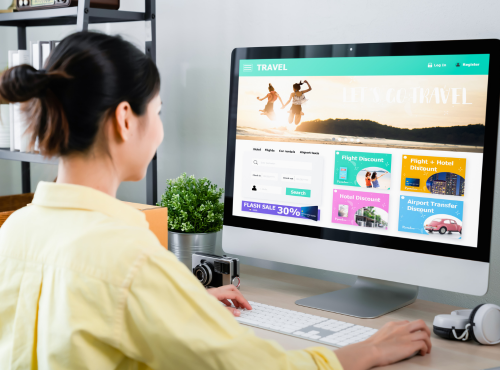
Your homepage works harder than any employee you have. It greets visitors, explains what you do, builds trust, and tries to turn strangers into customers. Many small business owners treat the homepage as a digital brochure, but it should function more like a smart salesperson. A few practical design essentials can transform an average homepage into one that actually brings in enquiries and sales.
Think of Your Homepage as a First Conversation
When someone lands on your site, they ask silent questions within seconds. Who are you? What do you offer? Can you help me? If the homepage does not answer those questions immediately, visitors leave. The best homepages feel like a friendly conversation rather than a wall of text.
Start with a clear message at the very top. Avoid clever slogans that sound nice but say nothing. Visitors need plain language that explains the benefit of your business. If you sell air conditioning, say you keep homes cool and comfortable. If you run a café, say you serve fresh meals and great coffee. Clarity beats creativity on a homepage.
The Hero Section Is Your Shop Window
The hero section is the first area people see. It usually includes a headline, a short description, an image, and a call to action button. This section decides whether visitors scroll further or disappear.
Use a headline that speaks directly to your customer’s need. Pair it with a photo that represents real life, not generic stock images. A strong button should tell visitors what to do next, such as get a quote, book a call, or view products. One clear action is better than five competing choices.
Show What You Do Without Making People Guess
Many small business websites hide services inside complex menus. Your homepage should display the main offerings in simple blocks. Visitors should understand your business even if they never click another page.
According to the Australian Bureau of Statistics, 88% of Australians use the internet to purchase goods and services, showing how websites have become a primary channel for customer decision-making. This makes an effective homepage essential for building trust, guiding visitors, and converting interest into real business enquiries.
Use short descriptions and icons or images to represent each service. Link these blocks to detailed pages for people who want more information. This approach guides visitors gently instead of overwhelming them with paragraphs.
Build Trust Before Asking for Money
Online trust is fragile. People hesitate to contact a business they have never met. A homepage must prove that you are real and reliable. Testimonials, reviews, and client logos work wonders here.
Place a few genuine customer quotes on the homepage. Add star ratings from Google or other platforms if you have them. Even a photo of your team or shop front can increase confidence. Trust elements should appear early, not buried at the bottom.
Make Contact Ridiculously Easy
Nothing frustrates potential customers more than hunting for contact details. Phone number, email, and enquiry buttons should be visible without scrolling. Small businesses lose countless leads simply because visitors cannot find a way to reach them.
Consider adding a short contact form on the homepage. Some people prefer typing a quick message instead of calling. The easier you make contact, the more enquiries you receive.
Speed Matters More Than Fancy Effects
Many owners love animated sliders and heavy graphics. Unfortunately, these often slow the site down. A slow homepage feels unprofessional and pushes visitors away before they read a word.
Keep images optimised and avoid unnecessary moving elements. Simple, fast pages convert better than flashy, slow ones. Customers care more about quick answers than digital fireworks.
Tell Your Story in Human Language
Small businesses have an advantage over big corporations because they feel personal. Use the homepage to show the people behind the brand. A short section about your values or history can create connection.
Write as if you are talking to a customer in your store. Avoid industry jargon and long corporate sentences. Friendly language makes visitors comfortable and more willing to engage.
Guide Visitors With Clear Pathways
Different visitors want different things. Some are ready to buy, others just researching. Your homepage should offer clear pathways for each type. Buttons such as view services, read reviews, or get a quote help people choose their next step.
Think of the homepage as a map. It should point clearly to the most important destinations on your site without confusion.
Mobile Design Is Not Optional
Most small business websites receive more visits from phones than computers. A homepage that looks perfect on a laptop can feel cramped on a mobile screen. Text must remain readable and buttons easy to tap.
Test your homepage on real phones. If you need to pinch the screen to read anything, changes are required. Mobile friendliness directly affects enquiries and search rankings.
Use Images That Represent Your Real Business
Authentic photos outperform generic stock images. Pictures of your actual team, products, or workspace create credibility. Customers like to see who they will deal with before making contact.
If professional photography is not possible, even clear smartphone images are better than fake models. Real beats perfect on a homepage.
Keep Updating Instead of Forgetting
Many owners launch a website and never touch the homepage again. Businesses change, offers evolve, and seasons affect demand. Your homepage should reflect current priorities.
Update promotions, add new testimonials, and refresh images regularly. A living homepage signals that the business is active and attentive.
Avoid the Most Common Mistakes
Too much text is a frequent problem. Visitors skim rather than read every line. Another mistake is using multiple competing calls to action. When everything shouts, nothing stands out.
Cluttered navigation and unclear headlines also harm performance. If a visitor cannot understand your business within five seconds, the homepage needs work.
Measure What Works
You do not need to be a technical expert to track results. Simple tools can show how many people visit, where they click, and whether they contact you. Small changes to headlines or buttons can produce noticeable improvements.
Treat the homepage as an ongoing experiment rather than a finished poster.
A strong homepage does more than look attractive. It welcomes visitors, explains your value, builds trust, and guides people toward becoming customers. Small business owners who focus on these essentials see more enquiries without increasing advertising spend.
If your current homepage feels more confusing than helpful, getting professional guidance makes the process easier. Philippines Websites can help you design a practical, conversion-focused homepage that represents your business clearly and turns visitors into loyal customers.
Frequently Asked Questions
1. Why is the homepage important for small business websites?
The homepage is usually the first page visitors see, so it must clearly explain what the business offers, build trust, and guide users toward taking action. A well-designed homepage can significantly increase enquiries and sales.
2. What should every small business homepage include?
A strong homepage should include a clear headline explaining the business, a short description of services, trust elements such as testimonials or reviews, an easy way to contact the business, and clear calls to action like “Get a Quote” or “Book Now.”
3. How does homepage design affect customer conversions?
Homepage design influences how easily visitors understand your business and decide to contact you. Clear messaging, strong visual hierarchy, and visible call-to-action buttons help guide visitors toward becoming customers.
4. Why is mobile-friendly homepage design important?
Most website visitors use smartphones. A mobile-friendly homepage ensures text is readable, buttons are easy to tap, and navigation works smoothly, which improves user experience and search engine rankings.
5. How often should a small business update its homepage?
Small businesses should review and update their homepage regularly. Updating promotions, testimonials, images, or services keeps the website relevant and shows visitors that the business is active.